Official Government Portal Guide

How to Download Bahrain
Residence Permit Online

Step-by-Step Guide with Screenshots

The Government of Bahrain provides an official online portal to view, download, and print your residency permit details. This guide walks you through the exact steps using the current eServices portal, so you can complete the process quickly and correctly.

5 minute process
No login required
Free service
Video Walkthrough
What You Can Download
  • Official Residency Details record
  • Residency Certificate (PDF format)
  • Valid proof for banks, employers, hospitals, and official purposes
1

Open Bahrain Residency Services

Go to the official Residency Services page on the Bahrain eServices portal. This is the central hub for all residency-related services provided by the Ministry of Interior – Nationality, Passports and Residence Affairs (NPRA).

Open Residency Services Portal

From the homepage, you will see multiple residency-related services including Residency Issuance Request, Residency Renewal Request, Residency Cancellation Request, Grace Period Renewal Request, and Manage Requests and Residencies.
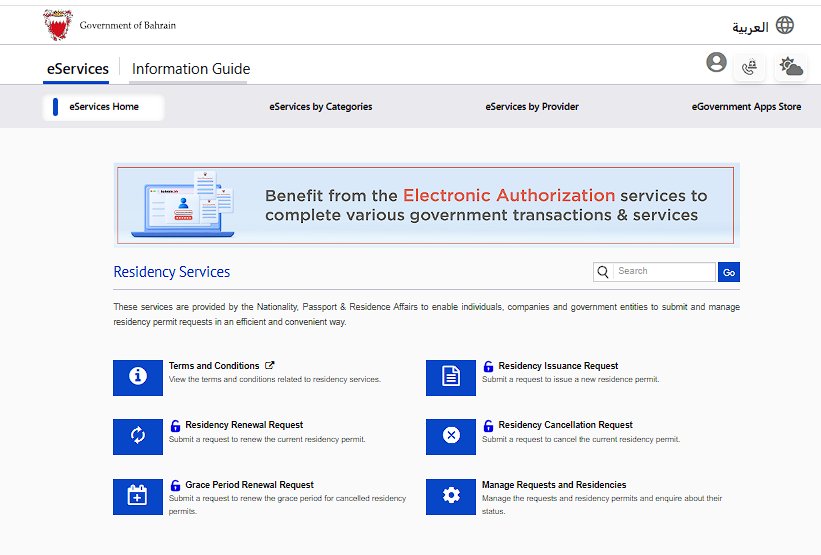
Bahrain Government eServices Residency Services homepage showing six service options: Terms and Conditions, Residency Issuance Request, Residency Renewal Request, Residency Cancellation Request, Grace Period Renewal Request, and Manage Requests and Residencies provided by Ministry of Interior NPRA
The Residency Services homepage on bahrain.bh portal showing all available options
2

Select "Manage Requests and Residencies"

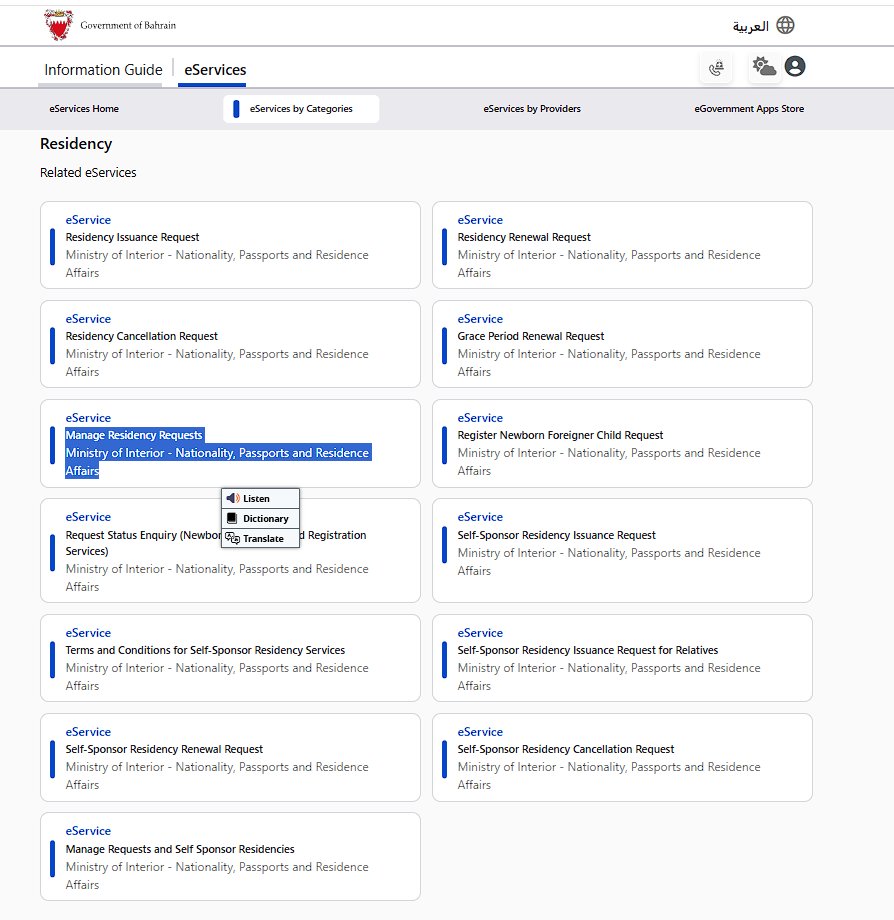
On the Residency Services page, locate and click Manage Requests and Residencies. This is the only option that allows you to view and download existing residency records.
Important
Do not select other options like "Residency Issuance Request" or "Residency Renewal Request" – those are for submitting new applications, not for viewing existing permits.
Bahrain eServices portal showing Residency category with Manage Residency Requests option highlighted under Ministry of Interior Nationality Passports and Residence Affairs along with other services like Residency Issuance Request and Self-Sponsor Residency options
Look for "Manage Residency Requests" under Ministry of Interior – Nationality, Passports and Residence Affairs
3

Access the eService

After selecting Manage Requests and Residencies, you will see the service description page. Click the blue "Use eService" button to proceed to the search form.
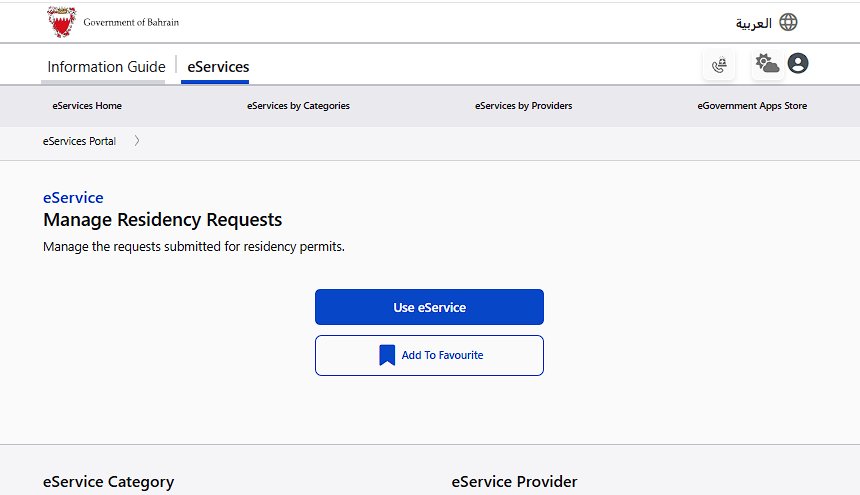
Bahrain eService page for Manage Residency Requests showing blue Use eService button and Add To Favourite option with service description text explaining how to manage requests submitted for residency permits
Click "Use eService" to access the residency search form

This will take you to the "Manage Requests and Residencies" form where you can search for specific residency records.

4

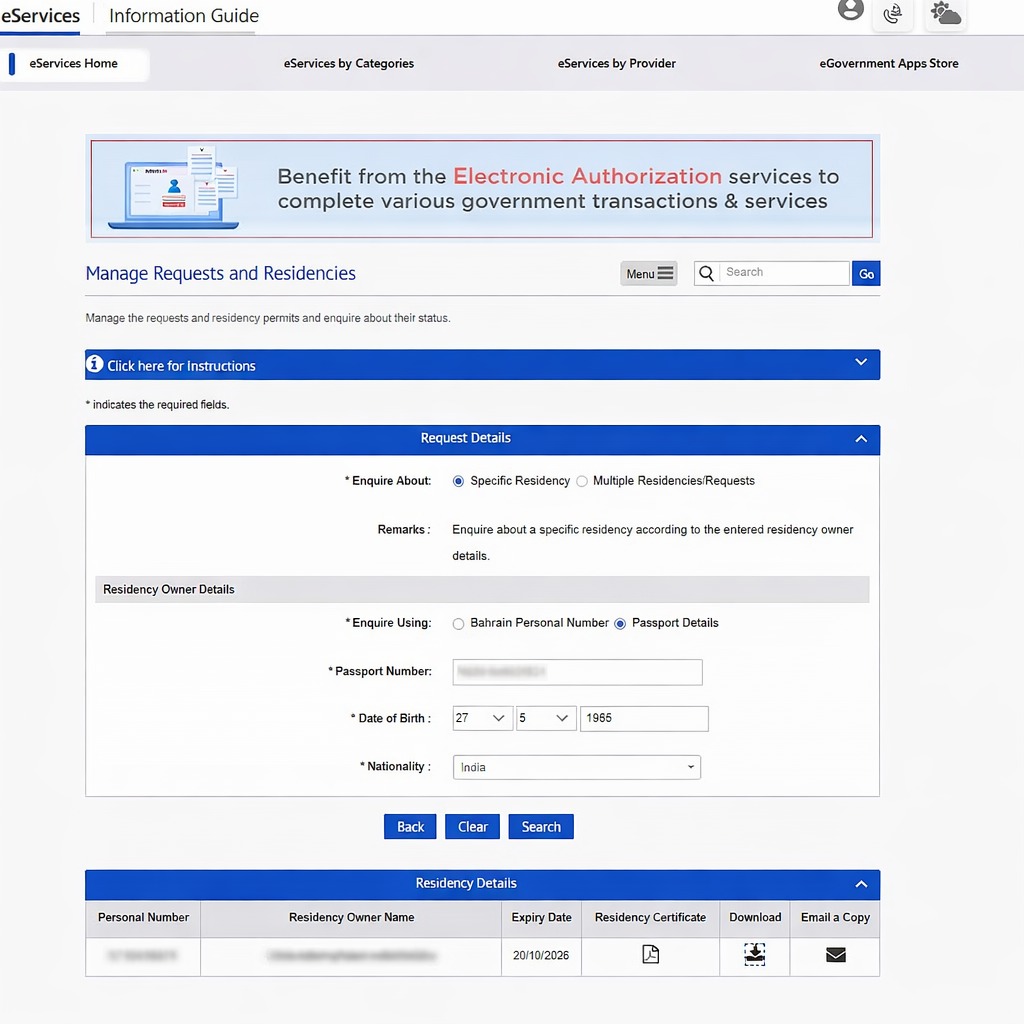
Enter Details and Download

Inside the service page, complete the following steps:

  • Under Request Details, select "Specific Residency"
  • In Residency Owner Details, choose your enquiry method: "Passport Details" or "Bahraini Personal Number" (CPR)
  • If using passport details, enter your Passport Number, Date of Birth, and Nationality
  • Click Search
Bahrain Manage Requests and Residencies form showing Request Details section with Specific Residency selected and Residency Owner Details section with Passport Details option containing fields for passport number date of birth and nationality plus search results table displaying Personal Number CPR residency owner name expiry date and download icons for Residency Certificate
Enter your passport details and click Search. Results will show download and certificate options.

After searching, a Residency Details table will appear showing your Personal Number (CPR), Residency Owner Name, Expiry Date, and action icons.

To save your residency details:

  • Click the Download icon to save the file directly, or
  • Click the Residency Certificate icon to view it, then use Print → Save as PDF
  • Use the Email a Copy option to receive it via email
Official Document
The downloaded residency details are official and valid for use with banks, employers, hospitals, and government purposes.
5

Troubleshooting

If you do not see any results after searching, check the following:

Common Issues
Incorrect passport number or date of birth – Double-check the details exactly as they appear on your passport.

Residency expired or under renewal – If your permit is currently being processed, it may not appear in the system.

Browser issue or session timeout – Try refreshing the page or using a different browser (Chrome or Edge recommended).

Pop-up blockers – If the download does not open, disable pop-up blockers for services.bahrain.bh

For persistent issues, you can contact the Ministry of Interior – NPRA directly through the official bahrain.bh portal.

6

Frequently Asked Questions

Is there a separate physical residence permit card issued online?
No. Bahrain no longer issues a separate physical "Residence Permit Certificate" for most cases through this online service. The downloaded residency details serve as the official record.
Is the downloaded document officially valid?
Yes. The downloaded residency details from the official bahrain.bh portal are official and valid for banks, employers, hospitals, and other official purposes.
Do I need to create an account or login?
No. The "Manage Requests and Residencies" service can be accessed without logging in. You only need your passport details or CPR number.
Can I download someone else's residency permit?
You can search for any residency record if you have the correct passport number, date of birth, and nationality details. This is useful for employers or sponsors checking dependents.
What file format is the download?
The Residency Certificate is available as a viewable document that can be printed or saved as PDF using your browser's print function.
Quick Summary
  • Open Residency Services on services.bahrain.bh
  • Click Manage Requests and Residencies
  • Select Specific Residency
  • Search using passport or CPR details
  • Download or print the residency record